Meta Ads Library Scraper (2026): Bulk Competitor Ad Research for Facebook & Instagram
Meta's Ad Library is one of the most underused competitive-intelligence resources in marketing. Launched for transparency, it lists every active ad running on Facebook and Instagram — searchable by advertiser, keyword, or topic. Any competitor's current creative strategy is sitting there in the open.
The catch: the Ad Library was built for transparency, not research. You view one advertiser at a time, scroll manually, and see limited metadata per ad. There's no bulk export, no comparison view, no change-tracking over time, and no useful filtering. FaceBot's Meta Ads Library Scraper (Bulk Meta Ads Analyzer) removes those limits — it extracts Ad Library data in bulk, structures it for analysis, and lets you study competitor ad strategy at a scale the native interface can't touch. This guide covers what it pulls, how to use it, and — most importantly — what to do with the data.
What the Meta Ad Library Exposes#
Every active ad on Facebook/Instagram in the library includes:
- Ad creative — the image, video, or carousel users see.
- Ad copy — primary text, headline, description.
- Advertiser — the page running it.
- Platforms — FB, IG, Audience Network, Messenger.
- Start date / how long it's been running — the single best proxy for "is this ad working?"
- Variations — multiple creatives under one campaign.
That "running since" date is gold: advertisers kill losers fast, so an ad that's been live for weeks or months is almost certainly profitable. The scraper makes that signal usable across hundreds of ads at once.
Native Ad Library vs the Scraper#
| Ad Library (native) | Meta Ads Library Scraper | |
|---|---|---|
| View many advertisers at once | No | Yes |
| Bulk export | No | Yes (structured data) |
| Compare creatives/copy side by side | No | Yes |
| Sort by longevity (= likely winners) | Manual | Yes |
| Track an advertiser over time | No | Yes, by re-running |
| Realistic for 100s of ads | No | Yes |
For a quick peek at one competitor, native is fine. For real research across a niche, the native interface is a bottleneck — and this is where the scraper pays for itself.
🚀 FaceBot Tools
60+ tools to grow and automate your Facebook presence
Try it Free Now — 24h Gold, 70+ Tools →How to Use the Meta Ads Library Scraper#
- Open the tool in the FaceBot dashboard (Data Extraction section).
- Enter your targets — advertiser page(s), a keyword, or a topic/niche.
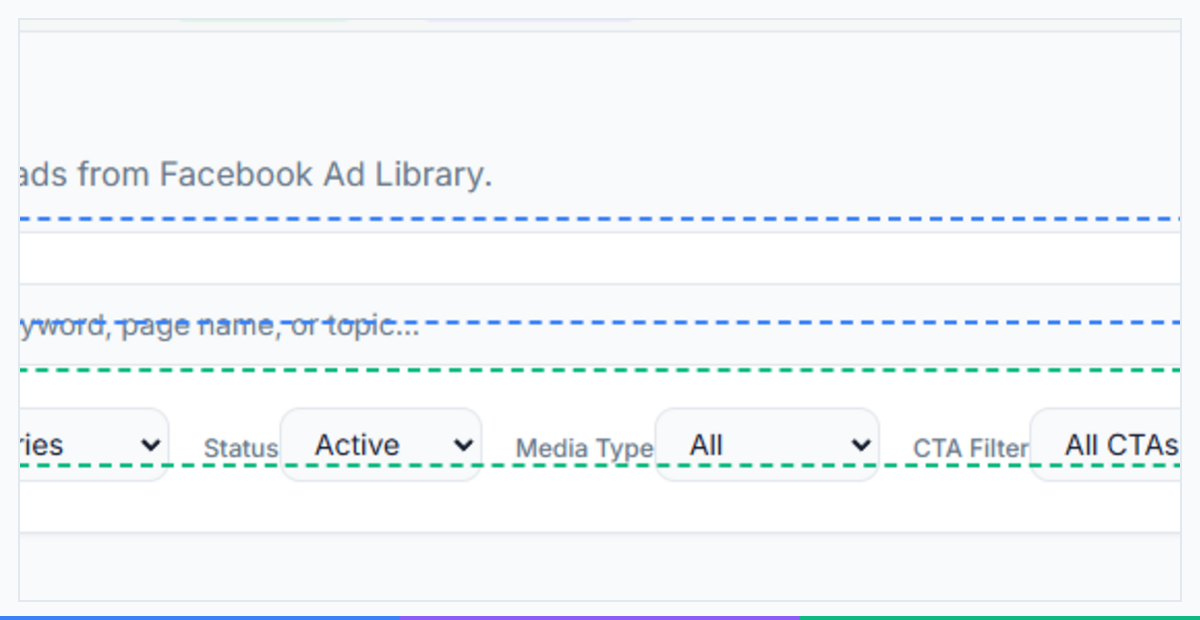
- Set filters — platform, region, active status.
- Run the extraction — it pulls the matching ads and structures them (creative, copy, advertiser, start date, variations).
- Review / export — sort by longevity to surface the proven winners, compare copy and creative, and export for deeper analysis.
What to Actually Do With Competitor Ad Data#
Scraping is the easy part; the value is in how you read it:
- Find the proven winners. Sort by how long each ad has run. The long-runners are the ads making money — study those first.
- Decode the angles. What problem/benefit does the copy lead with? What's the hook in the first 3 seconds of the video? Which offers repeat across competitors?
- Spot creative formats. Is the niche winning with UGC-style video, static testimonials, carousels? Match the format that's working.
- Map the funnel. Click through to the landing pages — the offer and page structure matter as much as the ad.
- Track over time. Re-run monthly; ads that keep running are your competitors' core winners.
Then model, don't copy. Take the proven angle, format, and offer structure and build your own original creative — never lift a competitor's image or copy verbatim (that's both ineffective and a legal risk).
From Research to Your Own Ads#
The payoff is a shortcut past expensive testing: instead of guessing creative from scratch, you launch informed by what's already winning in your niche. Port the proven angles into your own campaigns, test your originals against the patterns you found, and keep what performs. For the cross-platform mechanics of running those creatives, see the FaceBot tools and the broader data-extraction guides for how structured competitive data feeds growth.
Is This Legal / Allowed?#
Yes — the Ad Library is Meta's public transparency tool, created specifically so anyone can see active ads. Reading and organizing that public data for competitive research is legitimate and common practice across the ad industry. The lines to respect: don't copy competitors' creative or copy verbatim (intellectual property), and use the data to inform your own original ads. You're studying the market, not stealing from it.
Common Mistakes#
- Chasing new ads instead of long-runners — longevity, not novelty, signals a winner.
- Copying creative verbatim — model the pattern, make it original.
- Ignoring the landing page — the offer behind the ad is half the story.
- One-and-done research — re-run monthly to catch what's still working.
- Only studying one competitor — patterns that repeat across many advertisers are the safest bets.
🚀 Ready to try FaceBot Tools?
60+ tools to grow and automate your Facebook presence
Try it Free Now — 24h Gold, 70+ Tools →Signals a Competitor Ad Is Actually Winning#
The Ad Library doesn't show spend or results, so you have to infer which competitor ads are working. The strongest signals:
- Longevity. An ad that's been running for weeks or months is the clearest tell — advertisers kill losers fast and keep winners alive. Long run-time ≈ profitable.
- Many active variations of one concept. If a competitor is running numerous versions of the same angle, they've found a winner and are scaling/testing around it.
- Repeated re-launches. The same creative reappearing over time signals a reliable performer they keep coming back to.
- Polish and iteration. Ads that have obviously been refined (tightened copy, multiple hooks) usually indicate a concept worth investment.
Track these over time and you can map a competitor's winning angles without ever seeing their dashboard. A one-off ad that ran for three days and vanished is noise; a creative alive for two months is a signal.
A Competitor-Ad Research Routine#
Turn the tool into a repeatable intelligence process:
- Build a watchlist of 5–10 direct competitors.
- Pull their active ads with the Meta Ads Library Scraper as exportable data, rather than scrolling the Library by hand.
- Flag the long-runners and multi-variation concepts — your best guesses at their winners.
- Decode the pattern — the hook, offer, format, and angle those winners share.
- Re-check periodically to catch new tests and see which survive, building a living picture of what works in your market.
- Model, don't copy — apply the proven angle and structure to your own original creative, then test it against your audience.
The payoff: instead of guessing your way through expensive ad tests, you start from angles the market has already validated. Combine the research with your own creative and landing pages for the full loop (see verifying creative on both platforms). Keep usage to public Ad Library data at a sensible pace.
Reading the Data the Way a Media Buyer Does#
Raw Ad Library data is just a pile of creatives until you interrogate it with the right questions. Experienced buyers don't ask "what are competitors running?" — they ask a sharper set:
- What is the angle, not the asset? Strip each winning ad down to its promise: is it leading with price, speed, status, fear-of-missing-out, or a specific pain? Angles transfer across niches; a specific image does not.
- What is the first three seconds doing? On video ads, the hook is everything. Catalog the opening frames of the long-runners — a question, a bold claim, a pattern interrupt, a visual demo — and you've mapped the hooks the market has already paid to validate.
- What offer structure repeats? If five competitors all run "bundle + free shipping + urgency," that's not coincidence — it's the offer shape the niche converts on. Match the structure, differentiate the specifics.
- Where does the funnel actually go? Click through to the landing page. Half of an ad's performance is the page behind it; a brilliant ad pointed at a weak page still loses.
- What's the creative format mix? UGC talking-head vs. polished brand film vs. static testimonial — the format that dominates the long-runners is the format the audience trusts in that niche.
Write these answers down per competitor and a pattern emerges fast: the two or three angles, hooks, and offers the whole market has converged on. Those are your safest starting bets.
Building a Swipe File That Compounds#
A one-time scrape is a snapshot; a maintained swipe file is an asset that gets more valuable every month. Turn the tool into a standing intelligence system:
- Create a tagged library. For every long-running competitor ad, save the creative, copy, start date, and your angle/hook/offer notes into a structured sheet or board.
- Re-run monthly and diff the results. New ads that appear are fresh tests; ads that disappear were losers the competitor killed; ads that persist are the durable winners. The disappearances are as instructive as the survivors.
- Track longevity as a score. Add a "days live" column and sort by it. An ad alive for 90+ days in a competitive niche is a near-certain money-maker — study those first, every time.
- Cluster by angle. Once you have 50+ tagged ads, group them by angle and count how many competitors use each. The most-used angles with the longest average run-time are the market's validated winners.
- Feed the file into your own testing calendar. Each month, pull two or three fresh angles from the swipe file, build original creative on them, and test against your current control.
Over a quarter this compounds into something no single scrape can give you: a living map of what works in your market, with the losers already filtered out by your competitors' own ad budgets.
Frequently Asked Questions#
What is the Meta Ads Library Scraper?#
A FaceBot tool that bulk-extracts ads from Meta's public Ad Library — creative, copy, advertiser, start date, and variations — and structures them so you can analyze competitor ad strategy at scale, which the native Ad Library can't do.
Can I see competitors' Facebook and Instagram ads?#
Yes. Meta's Ad Library publicly lists every active ad. The scraper lets you pull many advertisers' ads at once and sort/compare them instead of viewing one advertiser at a time.
How do I know which competitor ads are working?#
Sort by how long each ad has been running. Advertisers stop losing ads quickly, so long-running ads are almost always profitable — those are the ones to study.
Is scraping the Ad Library legal?#
The Ad Library is Meta's public transparency resource, built for exactly this kind of visibility. Reading and organizing that public data for research is legitimate. Don't copy creative or copy verbatim — model the patterns with your own originals.
What data does it pull per ad?#
Ad creative (image/video/carousel), primary text/headline/description, the advertiser page, platforms, start date/duration, and creative variations.
Can I track a competitor's ads over time?#
Yes — re-run the extraction periodically. Ads that keep appearing are the competitor's durable winners; new ones show what they're currently testing.
Should I copy a winning competitor ad?#
No. Copy the angle, format, and offer structure, then create your own original creative. Verbatim copying performs poorly and risks IP issues.
How is this better than browsing the Ad Library manually?#
Bulk extraction, side-by-side comparison, sorting by longevity, export, and change-tracking — none of which the native one-advertiser-at-a-time interface supports.
Do I need the FaceBot extension?#
It runs from the FaceBot dashboard on your logged-in session. See the getting-started guide.
Conclusion#
The Meta Ads Library is a goldmine of competitor strategy sitting in plain sight — the only problem is the native interface makes real research painfully slow. The Meta Ads Library Scraper turns that public data into something you can actually use: bulk-extracted, structured, and sortable by the longevity signal that reveals which ads are winning. Study the long-runners, decode their angles, and build your own original creative on proven patterns — the fastest, lowest-risk way to shortcut expensive ad testing. Explore the full FaceBot toolkit to put the insights to work.