What Is Instagram Private DP Downloader? See Full-Size Profile Photos in 2026
Instagram profile pictures are permanently small. The app locks them inside a circular crop displayed at 150×150 pixels — and even when you tap the photo on desktop or mobile, you get a marginally larger version that still tops out below 320px. The actual image the account owner uploaded — often 1080×1080 or higher — is stored at full resolution, but Instagram deliberately exposes no path to it. Instagram Private DP Downloader solves this by looking up the account and retrieving the original, full-resolution image in seconds. No login. No app install. No screenshot hacks that crop the circle into the image. Just the original file, exactly as uploaded.
What Is Instagram Private DP Downloader?#
Instagram Private DP Downloader is a browser-based tool inside the FaceBot platform that retrieves and displays the original full-size profile picture from any Instagram account — public or private — directly in your browser, with a one-click download option.
Instagram handles profile pictures fundamentally differently from Facebook. On Facebook, tapping a profile picture opens a post with a "View Full Size" link. On Instagram, tapping the profile picture circle either does nothing (mobile web) or enlarges slightly to a still-compressed circular overlay (in-app). There is no "view original" option, no right-click-save that yields the real file, and no download button anywhere in the UI. Instagram intentionally designed the experience this way — profile pictures on Instagram are branding elements, not content people are expected to save.
The DP Downloader works around this entirely, retrieving the original upload stored at full resolution.
Key capabilities at a glance:
- Retrieves the original full-size instagram profile picture full size (up to 1080×1080 or higher)
- Works on public AND private accounts — profile pictures on Instagram are always publicly accessible regardless of account privacy setting
- Displays the uncropped, full-resolution original in the browser before download
- Accepts input as @username or a full
instagram.com/usernameprofile URL - Requires no Instagram login or account of any kind
- Downloads as a high-quality JPEG file
- Works uniformly across personal accounts, business accounts, and creator accounts
🚀 Instagram DP Downloader
Get full-size profile pictures, not 150px thumbs
Try it Free Now →Why Download Instagram Profile Pictures in Full Size?#
The need comes up more often than most people expect. These are the six most common use cases.
-
Brand asset retrieval — Marketing teams running influencer campaigns routinely need high-resolution versions of a partner's profile image for decks, proposals, and ad creative mockups. Screenshotting a circle off Instagram yields a blurry, circular-masked asset at screen resolution. The DP Downloader returns the square original at full quality.
-
Influencer verification — Agencies verify influencer identities before signing contracts. A full-resolution profile picture can be run through reverse image search tools to confirm the account is who it claims to be — something a 320px compressed thumbnail cannot reliably support.
-
Catfish and scam detection — Identifying fake accounts built on stolen photos requires the original image. Compressed thumbnails produce too many false positives and false negatives in reverse image searches. The full-size original dramatically increases detection accuracy.
-
Design and UX mockups — Designers building social media interface mockups, app prototypes, or presentation decks need realistic profile images at the right resolution. Sourcing them from Instagram without the DP Downloader means either low-quality screenshots or spending time sourcing substitutes.
-
Cross-platform identity matching — Journalists, researchers, and HR teams sometimes need to confirm whether an Instagram account belongs to the same person as an account on another platform. Profile picture matching requires the highest resolution copy available.
-
Personal backup — Instagram does not offer a way to download your own profile picture. Users who change their profile picture and want to keep the original face this problem constantly. The DP Downloader solves it in under five seconds.
How Instagram Profile Pictures Are Stored#
This is where Instagram differs substantially from other platforms — and understanding the basics explains why the tool works without any login.
Instagram stores profile pictures once at the uploaded resolution and serves different sizes depending on where they are displayed. The small 150px circle you see on a profile page is the default view. The slightly larger version shown when you tap the photo is still compressed. The original upload — the full-size image the account owner uploaded — is stored separately and never shown through normal browsing.
Instagram stores multiple versions of your profile picture at different sizes. The app only shows you the small ones. The DP Downloader requests the full-size version directly — the same image the account owner originally uploaded.
The DP Downloader does three things automatically:
- Looks up the account from the @username or profile URL you provide
- Identifies the full-resolution version of the profile picture
- Loads the image at its native resolution and presents it for download
Critically — this accesses only publicly available data. Profile pictures on Instagram are public by design. Even accounts set to "Private" have public profile pictures — that is how Instagram works. A private account hides posts, Stories, and Reels from non-followers, but the profile picture, follower count, and bio are always visible to anyone. The DP Downloader does not touch any data that is not already publicly visible on Instagram.
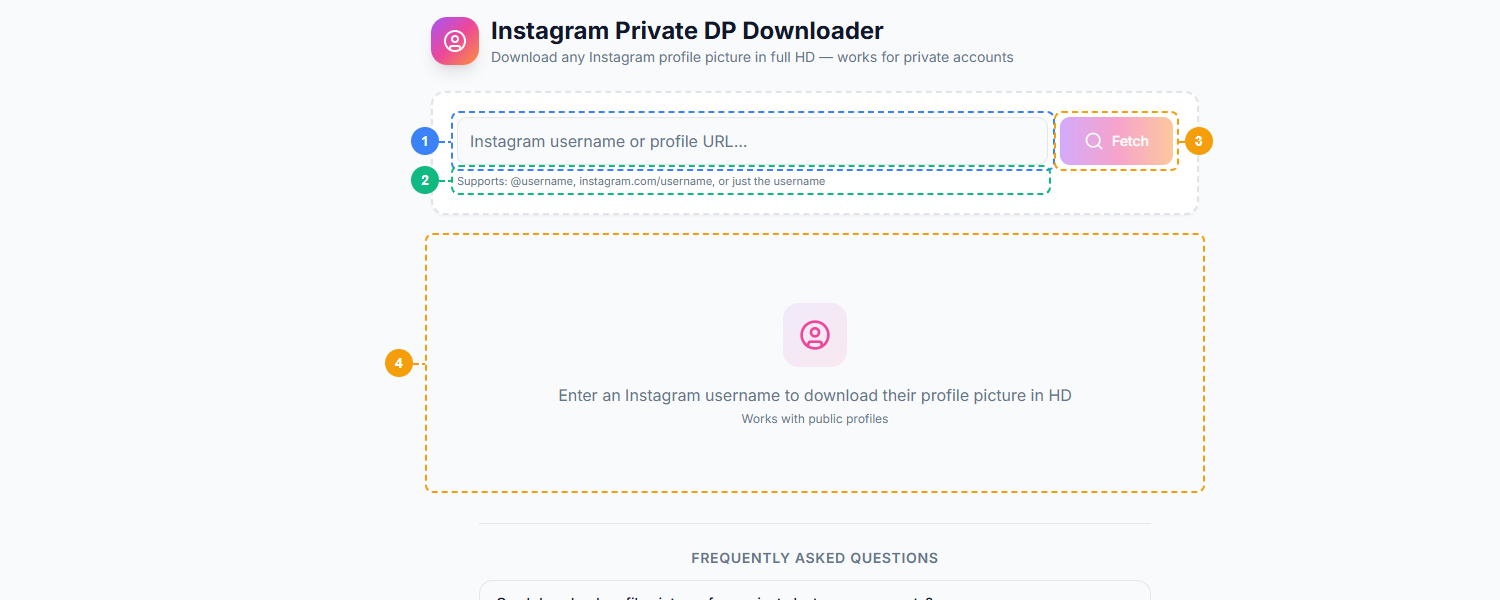
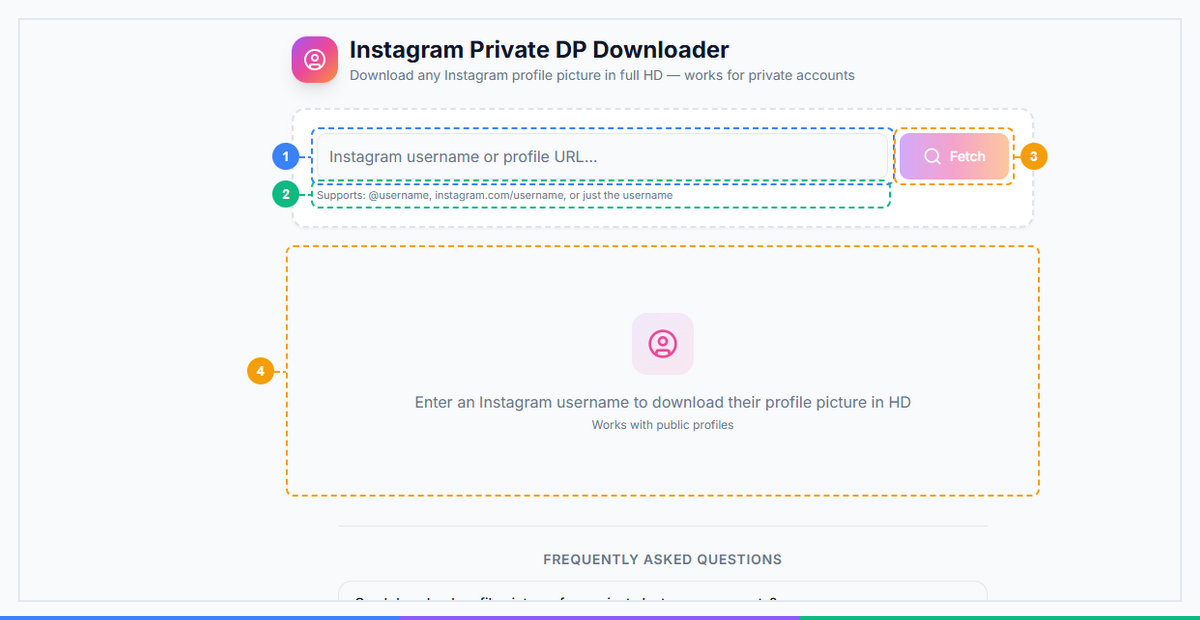
The Instagram Private DP Downloader provides a simple single-purpose interface. Enter an Instagram username or profile URL (1), review the supported input formats shown below the field (2), click Fetch to retrieve the full-resolution profile picture (3), and view the result with the original HD image preview and download option (4).
How Instagram Private DP Downloader Works#
The process takes four steps and under ten seconds from start to finish.
Step 1: Get the Instagram Username or URL#
Navigate to the Instagram profile you want. Copy either the @username directly (e.g., @natgeo) or the full profile URL from your browser address bar (e.g., instagram.com/natgeo). Either format works.
Step 2: Open DP Downloader#
Go to Instagram DP Downloader inside your FaceBot dashboard. Paste the username or URL into the input field. Hit the download button.
Step 3: View Full-Size Profile Photo#
The tool retrieves the full-size image and displays it at its native resolution directly in your browser. You can see the exact pixel dimensions and file size before saving anything.
Step 4: Download#
Click the download button to save the file to your device. The image saves as a high-quality JPEG, uncropped, at the original upload resolution. No watermark. No compression artifacts introduced by the tool.
Instagram DP Downloader vs. Other Methods#
Most people who want to see an instagram profile picture full size try one of the workarounds below before discovering a purpose-built tool. Here is how they compare.
| Method | Resolution | Works on Private Accounts | Login Required | Time Required |
|---|---|---|---|---|
| DP Downloader | Full HD (1080px+) | Yes — DP is always public | No | ~3 seconds |
| Tap profile pic in app | 320×320 max | Only if you follow them | Yes | 2 seconds |
| Browser inspect element | 150–320px usually | No (only if you can load page) | No | 5–15 minutes |
| Screenshot | Screen resolution, circular crop burned in | Yes | Yes | 5 seconds |
| Third-party apps from app stores | Varies | Some | Often requires your Instagram login (risky) | Varies |
The inspect element method — searching through network requests or page source for an image URL — technically works but consistently returns the 150px or 320px version because that is what the page renders. Finding the full-size version manually requires knowing exactly where in the page data to look. The DP Downloader automates exactly this lookup.
Third-party apps that offer this feature often require the user to log in with their Instagram credentials to function. Handing your Instagram username and password to an unknown app to view someone's profile picture is an unacceptable security tradeoff. FaceBot's DP Downloader requires no login from either party.
🚀 Ready to try Instagram DP Downloader?
Get full-size profile pictures, not 150px thumbs
Try it Free Now →Who Should Use Instagram DP Downloader?#
Marketing agencies — Teams managing brand partnerships and influencer campaigns need profile images for decks, contracts, and creative briefs. Batch checking influencer profile picture quality before onboarding is a real workflow. The DP Downloader handles it in seconds.
HR and recruitment teams — Recruiters increasingly cross-reference Instagram profiles during candidate screening. Verifying identity across LinkedIn, Instagram, and other platforms is easier with full-resolution images available for comparison.
Journalists and investigators — Fact-checking social media accounts, confirming identity, detecting reused or AI-generated profile pictures — all of these tasks benefit from access to the highest-resolution version of the profile image. A 320px thumbnail is not sufficient for reliable image forensics.
Everyday users — You changed your Instagram profile picture three years ago and now realize you never saved the original. Instagram does not offer a download button for your own images. The DP Downloader retrieves it in one step, no questions asked.
How to Get Started#
FaceBot's Instagram Private DP Downloader is available on the free tier with daily download limits. Paid plans remove the daily limit for teams that need to run bulk lookups or process large influencer lists.
The tool requires no Instagram account, no API keys, and no setup. Open it, paste a username, and see the full-size photo immediately.
Frequently Asked Questions#
Q: Can I see Instagram profile pictures without an Instagram account?#
Yes. Profile pictures on Instagram are publicly accessible to anyone — logged in or not. The DP Downloader does not require you to have or connect an Instagram account. Paste the username and the tool retrieves the image directly.
Q: Does the user get notified if I view their full profile picture?#
No. Instagram has no notification system for profile picture views. Unlike post views or Story views (which notify the poster), profile picture access generates zero notification for the account owner. This is consistent whether you use the app, the website, or the DP Downloader.
Q: Can I download profile pictures from private accounts?#
Yes. Even when an account is set to Private, Instagram keeps the profile picture publicly accessible. Private accounts hide their posts, Stories, and Reels from non-followers — but the profile picture, username, bio, and follower/following counts are always visible to anyone. The DP Downloader works on private accounts for exactly this reason.
Q: What size and resolution will the downloaded image be?#
The downloaded image is the original upload resolution — typically 1080×1080 pixels for square uploads, which is the standard Instagram recommends for profile pictures. Some business accounts upload at higher resolutions. The tool displays the actual pixel dimensions before you download so you know exactly what you are getting.
Q: Is this tool free?#
FaceBot offers a free tier that includes the Instagram DP Downloader with a daily download limit. Upgrading to a paid plan removes the daily limit and unlocks the full 77-tool suite across automation, scheduling, analytics, and downloading categories.
Q: How is this different from the Facebook DP Downloader?#
Same concept, different platform. The Facebook Private DP Downloader retrieves Facebook profile pictures at up to 2048×2048 pixels — notably higher than Instagram's typical 1080px ceiling. Both platforms store full-size originals that their interfaces don't normally expose, but they use different platform-specific methods to retrieve them. Both tools use the same zero-login approach, built independently for each platform.
Conclusion#
Instagram's decision to lock profile pictures inside a 150px circle and offer zero download path makes the DP Downloader one of the most practically useful tools in the downloader suite. Whether you are a marketer pulling influencer assets, a journalist verifying account authenticity, or someone trying to recover their own profile picture from three years ago — the tool solves the problem in seconds without requiring an Instagram account or handing credentials to a third-party app.
If you work across multiple platforms, the Facebook Private DP Downloader covers the same use case for Facebook with an even higher resolution ceiling of 2048px. Both tools are part of FaceBot's 13-tool downloader suite — which also includes Instagram Downloader for Reels, Stories, and posts, and Bulk Image Downloader for high-volume media extraction. For a full overview of what the suite can do, see the complete guide to downloading social media content.
For the full walkthrough, see the Facebook private DP downloader guide.